

Streaming is Broken II: Choosing Hardware
To begin creating the HomeServer, we first need to decide on the hardware that will host our server. Here is some excellent news: we can have a state-of-the-art NAS with a zillion terabytes managed by TrueNAS, or even do everything with a Raspberry Pi (yes, it’s perfectly possible). It really depends on your budget.
In my case, I went with a Mini PC, more specifically a SOYO M2 PLUS V1.
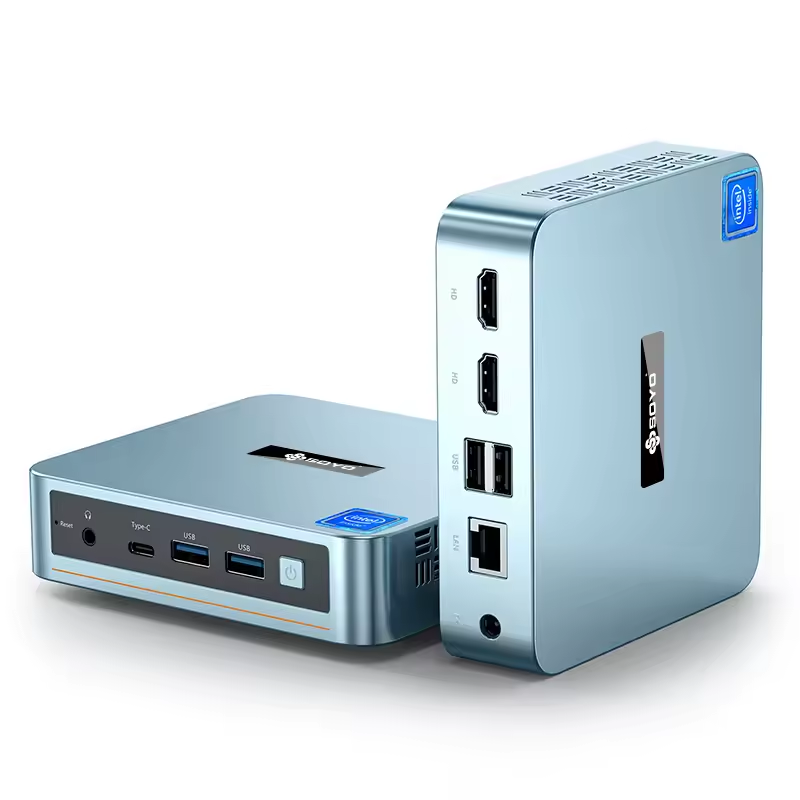
It is far more than necessary to make a functional server, but there were some aspects of this PC that led me to consider it the ideal candidate.
- The price. I paid a total of €120 for it. Basically the price of a Raspberry Pi (+ accessories), for a much, much better performance. A complete x86 PC.
- The energy consumption. Unlike an old Xeon server that uses power like a refrigerator, the N100 operates with a very low TDP (about 6W to 15W). It can stay on 24/7 without impacting the electricity bill.
- The Intel Alder Lake N100 processor. The N100 has an Intel iGPU with QuickSync. This allows it to transcode 4K HDR videos and even the modern AV1 codec via hardware. While the CPU is sleeping, the GPU converts the movie for the TV or phone without stuttering (Even more so if your goal is a 4K BDRemux).
Complete mini PC specification: RAM: 16GB - SSD Capacity: 512GB - CPU: Intel Alder Lake N100 - GPU: UHD Graphics
The Client
While our server will be in charge of making the movie available on our local network, our client will be responsible for consuming that content. As I mentioned in my previous post, what motivated me to do this project was being able to consume content on my newly acquired 65-inch OLED TV. But for the TV purchase, I ended up going with a model from the HiSense brand. The picture, as expected, is wonderful, but the TV comes with HiSense’s own system called VIDAA: it’s a colossal piece of junk. The system comes with an app store with very few apps, most of which I will never use. But the worst part is that the system does not have a native version of Jellyfin. Think of Jellyfin as the frontend of our project. I’ll talk about it later. If you have a decent TV operating system that has Jellyfin, skip buying a TV box for that.
With this limitation, there was no other choice: I bought a TELE System UP1 TV Box with an Amlogic S905Y4 chipset. My hatred for Android TV is even greater than my hatred for Windows, but it’s a necessary evil. This way we have (a little more) control over the client’s OS, and we can configure Jellyfin as mentioned.
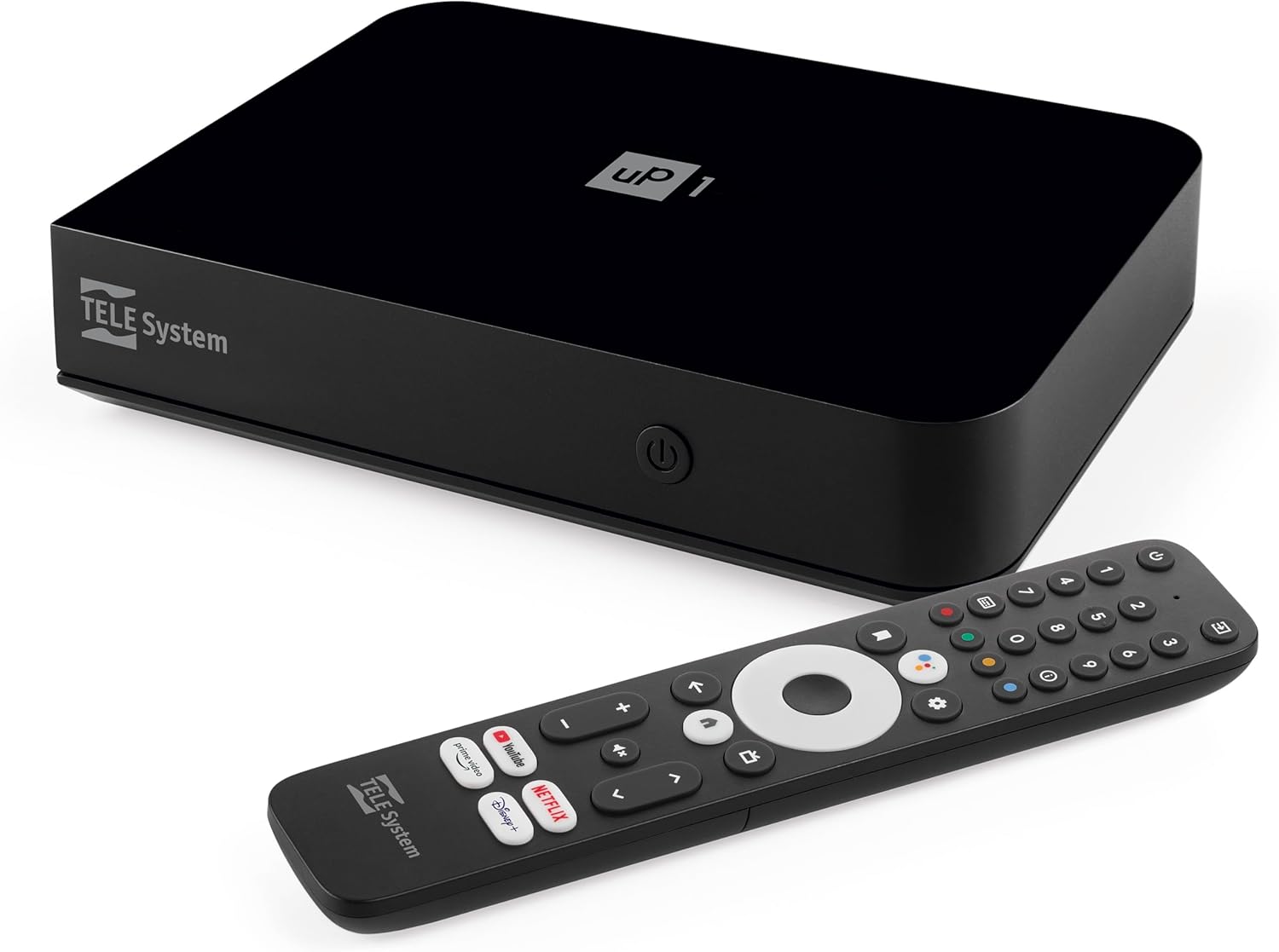
However, I ran into an unexpected bottleneck: the Ethernet cable. The TV Box specs list a “10/100Mbps Ethernet” port. For conventional web streaming (Netflix/YouTube), that’s plenty. But for a Home Server streaming 4K Remux files (faithful Blu-ray copies), bitrate peaks can exceed 100Mbps. In this case, and going against the most basic logic, I chose to use 5GHz Wi-Fi (AC). Although less stable than a cable, it offers a raw bandwidth (throughput) much higher than 100Mbps, allowing data peaks to pass freely. And since the router is less than 3 meters from the TV Box, we don’t have a (very) significant signal loss.
The Storage
Since we are talking about a HomeServer that makes movies available locally, the expected approach would be to be a “DataHoarder,” that is, to accumulate TBs and more TBs of content. But I opted for a more economical solution, which makes more sense for me, since having 1000 movies available can create that famous “Netflix infinite scroll” syndrome.
In this project, I changed my approach regarding this: instead of being a datahoarder, I am a curator of films. That is, I will use only my 512GB SSD as storage. And nothing more. This brings up some points:
-
With this volume, I can store about 9/10 movies in 4K (Not remux) and some complete seasons of series (I’m married, which means I have to have one or two seasons of Gossip Girl available for my wife to authorize this project). This is more than enough to have a series of movies available from my Letterbox watchlist.
-
I will have to create a routine to automatically delete movies that have already been watched, to avoid having dead files on the SSD.
-
Since we are choosing a small SSD instead of colossal HDDs or NAS, the noise generated by the mini PC is considerably less. No disk noise.
With this, we have a silent, efficient server capable of processing 4K, connected to a client via 5GHz Wi-Fi for maximum throughput, operating on an intelligent storage cycle. The physical foundation is solid.
In the next chapter, I will explain which operating system we will use and how we will configure the server in a few minutes with a bash script I created, which automates the configuration of our system.