




Streaming is Broken VI: The Complete Stack
Enough stalling, right?
Jokes aside, I consider the previous posts in this series extremely important. Each one covers a critical piece:
- Streaming is Broken II: Choosing Hardware. Where we learned about a low-cost homeserver setup with my two cents on storage.
- Streaming is Broken III: The Foundation (OS, Docker, and “Day One”). Where we configured our OS, Docker, and prepared the groundwork for what would come next.
- Streaming is Broken IV: The Fortress: VPN and Gluetun. A chapter you normally won’t find in other tutorials, focused on security and privacy.
- Streaming is Broken V: Hardlinks and Permissions. Tips to avoid future headaches in our configurations.
But if I had to choose just one post to explain how to configure a homeserver, it would be this one.
Without further delay, let’s begin.
The Multimedia Stack
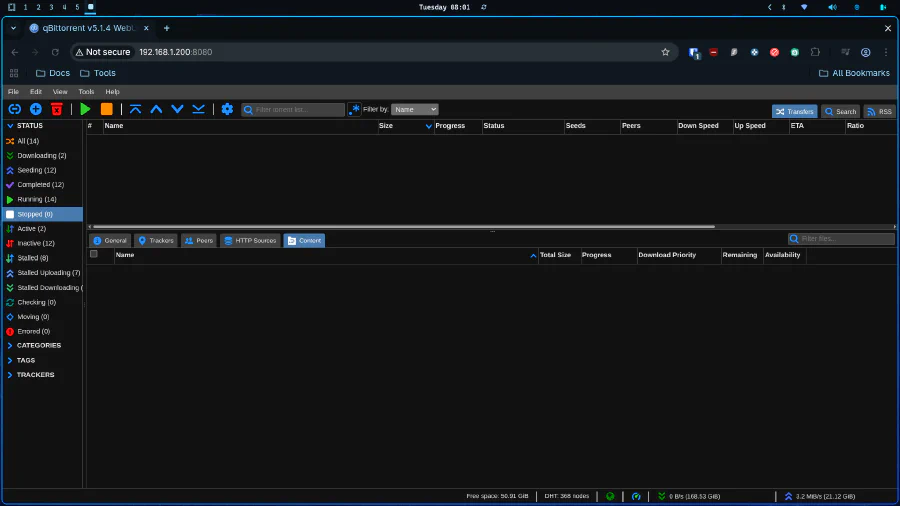
qBittorrent
As I said in previous posts, piracy is the worst crime in the world, I love companies that offer crappy services, and I enjoy paying more for less. Of course, for legal reasons, I say this.
Now, speaking seriously, the flow of our home media server will be as follows:
- We will search for movies and series in Overseerr (everything will be explained further below)
- Overseerr will send requests to Radarr (Movies) and Sonarr (Series)
- Radarr and Sonarr will search for the material on sites indexed by Prowlarr, whose sole function will be to manage these indexers
- qBittorrent will download the file. Radarr and Sonarr will automatically identify the file and move the download to their own folders
- Jellyfin will be our streaming app on the TV, iPad, computer, etc. It’s where we’ll watch the acquired content
With that in mind, let’s start with the first item to be configured on our list: the downloader.
In our docker compose, we’ll have something like this:
  qbittorrent:
    image: lscr.io/linuxserver/qbittorrent:latest
    container_name: qbittorrent
    network_mode: "service:gluetun"
    environment:
      - PUID=${PUID}
      - PGID=${PGID}
      - TZ=${TZ}
      - WEBUI_PORT=8080
    volumes:
      - /home/donkey/EmuleVision/Settings/Qbittorrent:/config
      - /home/donkey/EmuleVision:/data
    depends_on:
      gluetun:
        condition: service_healthy
    restart: unless-stopped
Here, as I explained in my security post, qBittorrent will be protected via VPN, and Gluetun will be the one protecting our container. In my case, connected to a paid VPN service (it has integrations with NordVPN, Surfshark, etc.). Since we’re talking about downloading multimedia files, forget free VPNs: besides being limited for obvious reasons, they’re extremely insecure.
It’s important to make clear that to avoid IP leaks, qBittorrent will absolutely depend on Gluetun being functional. If the VPN drops, qBittorrent will stop automatically. This is the beauty of the depends_on with condition: service_healthy. The container won’t even start if Gluetun isn’t ready.
In this case and moving forward, we’ll be configuring permissions and timezone (PUID, PGID, and TZ) in the same way. For this, create a .env file for these parameters.
Dummy example:
PUID=1000
PGID=1000
TZ=Etc/UTC
To configure the application itself, I won’t reinvent the wheel. I’ll be linking the corresponding TRaSH Guides tutorial for each technology:
- Basic-Setup - Basic setup of the most common settings.
- Paths - Where to set your root download location.
- How to add Categories - How to set up categories for qBittorrent, and how you can manage and organize your torrents in groups. Starr apps can use categories in qBittorrent to keep track of downloads to monitor, rather than watching every torrent in your client.
- Port forwarding - Where in your download client you should add the port you’ve port forwarded with your VPN Service.
Prowlarr: The Indexer Manager
Prowlarr is the unsung hero of this stack. It’s the middleman that connects your Radarr and Sonarr to the torrent indexers. Think of it as a switchboard operator from the 1950s, except instead of connecting phone calls, it’s connecting your download requests to torrent sites.
  prowlarr:
    image: ghcr.io/hotio/prowlarr:latest
    container_name: prowlarr
    network_mode: "service:gluetun"
    environment:
      - PUID=${PUID}
      - PGID=${PGID}
      - TZ=${TZ}
    volumes:
      - /home/donkey/EmuleVision/Settings/Prowlarr:/config
    depends_on:
      gluetun:
        condition: service_healthy
    restart: unless-stopped
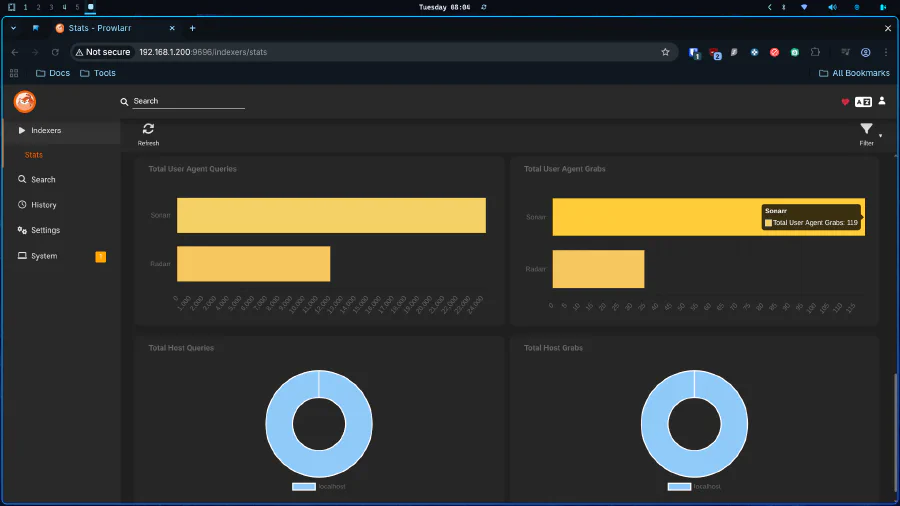
Notice the pattern here? It’s also behind Gluetun. Everything that touches the public internet for “alternative acquisition methods” stays behind the VPN. No exceptions.
Prowlarr configuration is straightforward:
- Add your indexers (public or private trackers)
- Connect it to Radarr and Sonarr via API keys
- Let it sync automatically
The beauty is that you configure indexers once in Prowlarr, and they propagate to all your Arr apps. No more copying and pasting tracker URLs into five different interfaces.
For detailed configuration, check TRaSH Guides - Prowlarr.
FlareSolverr: The Cloudflare Bypass
Some indexers protect themselves with Cloudflare’s anti-bot measures. FlareSolverr is a headless browser that solves these challenges automatically.
  flaresolverr:
    image: ghcr.io/flaresolverr/flaresolverr:latest
    container_name: flaresolverr
    network_mode: "service:gluetun"
    environment:
      - TZ=${TZ}
    depends_on:
      gluetun:
        condition: service_healthy
    restart: unless-stopped
You configure it once in Prowlarr, and it handles the rest. When Prowlarr hits a Cloudflare-protected site, FlareSolverr steps in, solves the challenge, and returns the results. It’s like having a robot lawyer who specializes in getting past bouncers. Guide is here
Sonarr: The TV Series Manager
Sonarr is where the magic happens for TV shows. It monitors your “watchlist,” searches Prowlarr for new episodes, sends them to qBittorrent, and organizes everything automatically.
  sonarr:
    image: ghcr.io/linuxserver/sonarr:latest
    container_name: sonarr
    network_mode: "service:gluetun"
    environment:
      - PUID=${PUID}
      - PGID=${PGID}
      - TZ=${TZ}
    volumes:
      - /home/donkey/EmuleVision/Settings/Sonarr:/config
      - /home/donkey/EmuleVision:/data
    depends_on:
      gluetun:
        condition: service_healthy
    restart: unless-stopped
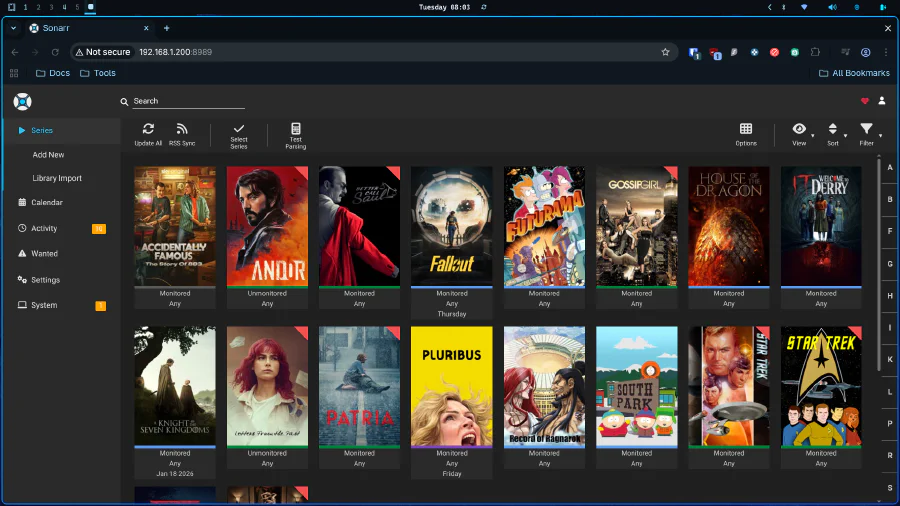
Key configuration points:
- Root Folders: Set to
/data/media/tv - Download Client: Point to qBittorrent at
localhost:8080(remember, they share the same network stack via Gluetun) - Quality Profiles: Use TRaSH Guides Quality Settings to avoid downloading garbage quality releases
Sonarr will automatically:
- Search for new episodes when they air
- Upgrade existing episodes if better quality versions appear
- Rename files according to your preferred naming scheme
- Move completed downloads to your media library using Hardlinks (remember that post?)
Radarr: The Movie Manager
Radarr is Sonarr’s sibling, but for movies. Same logic, different content type.
  radarr:
    image: ghcr.io/linuxserver/radarr:latest
    container_name: radarr
    network_mode: "service:gluetun"
    environment:
      - PUID=${PUID}
      - PGID=${PGID}
      - TZ=${TZ}
    volumes:
      - /home/donkey/EmuleVision/Settings/Radarr:/config
      - /home/donkey/EmuleVision:/data
    depends_on:
      gluetun:
        condition: service_healthy
    restart: unless-stopped
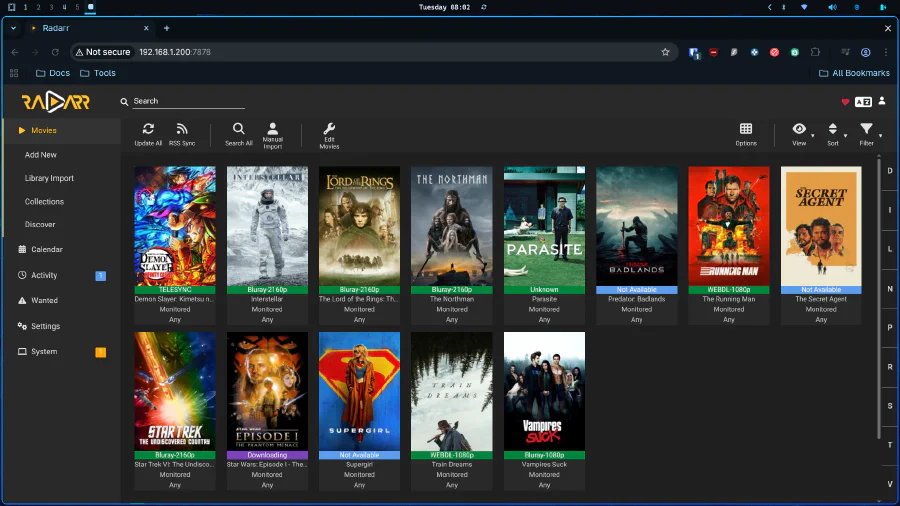
Configuration mirrors Sonarr:
- Root Folder:
/data/media/movies - Download Client: qBittorrent at
localhost:8080 - Quality Profiles: TRaSH Guides for Radarr
The difference is the content type. Radarr tracks individual movies instead of series/seasons/episodes. It also integrates beautifully with services like Trakt or IMDb lists if you want to automate adding movies to your collection.
Bazarr: The Subtitle Specialist
Remember when I complained about Netflix’s garbage subtitle quality in the first post? Bazarr solves that.
  bazarr:
    image: ghcr.io/linuxserver/bazarr:latest
    container_name: bazarr
    restart: unless-stopped
    network_mode: "service:gluetun"
    environment:
      - TZ=${TZ}
      - PUID=${PUID}
      - PGID=${PGID}
    volumes:
      - /home/donkey/EmuleVision/media/movies:/movies
      - /home/donkey/EmuleVision/media/tv:/tv
      - /home/donkey/EmuleVision/Settings/Bazarr:/config
    depends_on:
      gluetun:
        condition: service_healthy
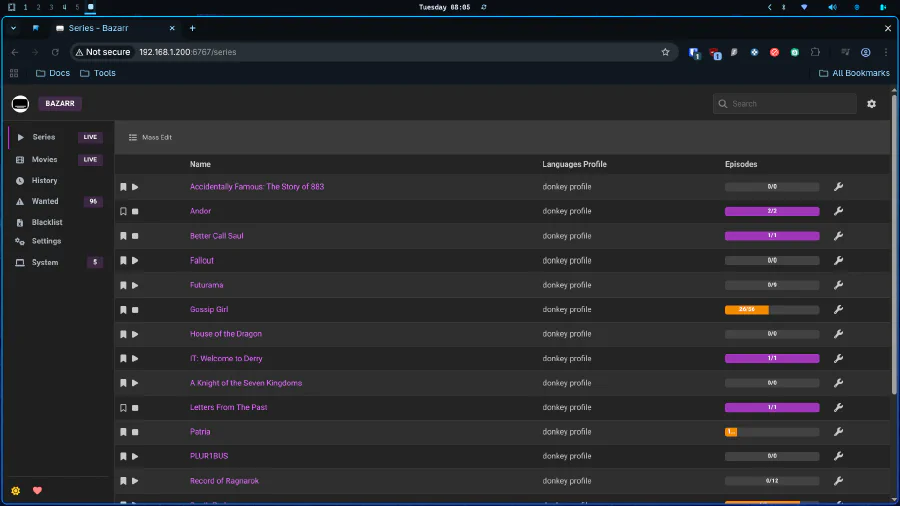
Bazarr automatically:
- Downloads subtitles for your movies and series
- Supports multiple languages
- Syncs with OpenSubtitles, Subscene, and other providers
- Can even upgrade existing subtitles if better versions appear
Configuration is simple: connect it to Sonarr and Radarr via API keys, select your preferred languages and providers, and let it run. Your Polish thriller will finally have comprehensible English subtitles.
Kaizoku: The Manga Downloader
For those who consume more than just movies and series, Kaizoku handles manga acquisition.
  kaizoku:
    image: ghcr.io/oae/kaizoku:latest
    container_name: kaizoku
    network_mode: "service:gluetun"
    environment:
      - PUID=${PUID}
      - PGID=${PGID}
      - TZ=${TZ}
      - KAIZOKU_PORT=3002
    volumes:
      - /home/donkey/EmuleVision/Settings/Kaizoku:/config
      - /home/donkey/EmuleVision:/data
    depends_on:
      gluetun:
        condition: service_healthy
    restart: unless-stopped
It tracks manga series, automatically downloads new chapters, and organizes them for your reading pleasure. Think of it as Sonarr, but for comics.
Overseerr: The Request Manager
This is the user-facing component. Overseerr is what your family members interact with when they want to watch something.
  overseerr:
    image: lscr.io/linuxserver/overseerr:latest
    container_name: overseerr
    environment:
      - PUID=${PUID}
      - PGID=${PGID}
      - TZ=${TZ}
    ports:
      - "5055:5055"
    volumes:
      - /home/donkey/EmuleVision/Settings/Overseerr:/config
    restart: unless-stopped
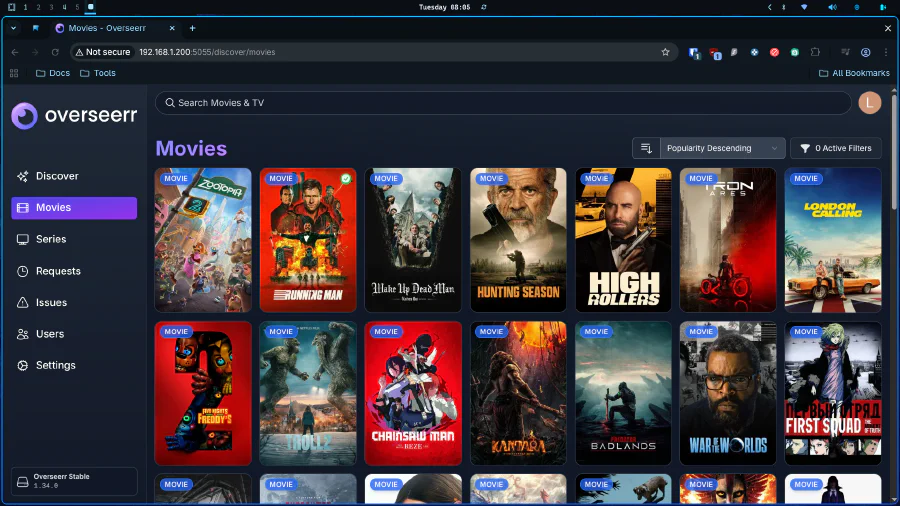
Notice something different? No Gluetun. Overseerr doesn’t download anything. It’s just a request interface. Your wife wants to watch Gossip Girl? She opens Overseerr, searches for it, clicks “Request,” and Sonarr handles the rest.
Plex: The Streaming Frontend
This is where everything comes together. Plex is your personal streaming service.
  plex:
    image: lscr.io/linuxserver/plex:latest
    container_name: plex
    environment:
      - PUID=${PUID}
      - PGID=${PGID}
      - TZ=${TZ}
      - VERSION=docker
      - PLEX_CLAIM=claim-6DcZ6Chj7tSXYU4n6GS7
    network_mode: host
    volumes:
      - /home/donkey/EmuleVision/Settings/Plex:/config
      - /home/donkey/EmuleVision/media/movies:/data/movies
      - /home/donkey/EmuleVision/media/tv:/data/tvshows
    devices:
      - /dev/dri:/dev/dri
    restart: unless-stopped
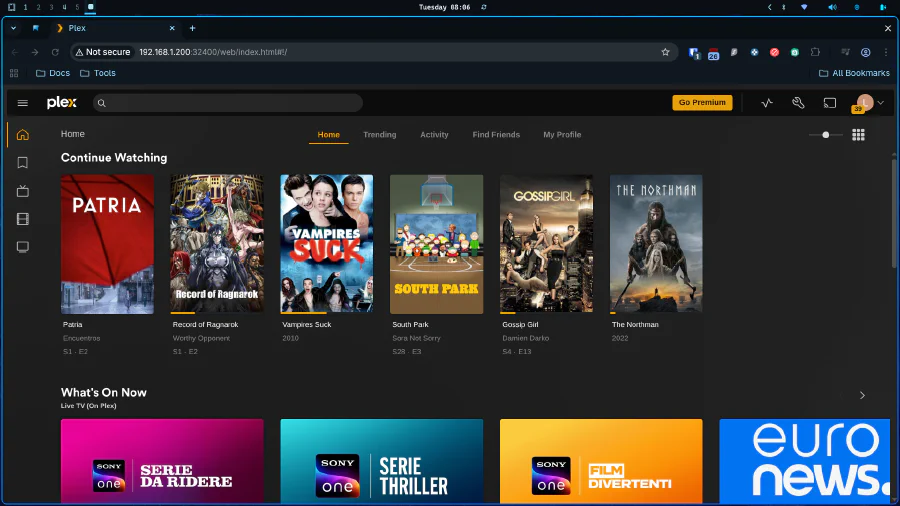
Critical details:
network_mode: host - Unlike the other containers, Plex needs direct network access for DLNA discovery and maximum streaming performance. Remember the architecture diagram from the VPN post? This is the “Clean Group.”
devices: /dev/dri - This exposes the Intel QuickSync hardware encoder to the container. Without this, transcoding would murder your CPU. With it, your N100’s GPU handles 4K transcoding while the CPU naps.
PLEX_CLAIM - This token links your Plex server to your Plex account on first boot. You get it from plex.tv/claim. It expires after 4 minutes, so generate it right before your first
docker compose up.No Gluetun dependency - Plex streams locally. Passing 80Mbps 4K video through a VPN tunnel is insane. This traffic stays on your LAN, fast and clean.
Configuration essentials:
- Enable Hardware Acceleration (Intel QuickSync) in Settings → Transcoder
- Set up your libraries (
Moviespointing to/data/movies,TV Showspointing to/data/tvshows) - Configure remote access (Plex handles this automatically, but you can disable it for LAN-only)
- Install the Plex app on your TV, phone, tablet
The beauty of Plex over open-source alternatives is the polish. The apps are native, fast, and work flawlessly across every device imaginable. Your wife won’t need a tutorial to watch Gossip Girl on her iPad.
For detailed setup, check the official Plex documentation.
The Support Stack
Portainer: The Docker Dashboard
Managing containers via CLI is fine when you’re setting things up. But when something breaks at 2 AM and you need to quickly restart a service, a web interface is invaluable.
  portainer:
    image: portainer/portainer-ce:2.20.2
    container_name: portainer
    volumes:
      - /etc/localtime:/etc/localtime:ro
      - /var/run/docker.sock:/var/run/docker.sock
      - /home/donkey/EmuleVision/Settings/Portainer:/data
    ports:
      - "9000:9000"
    restart: unless-stopped
Portainer gives you:
- Container status at a glance
- One-click restart/stop/remove
- Log viewing without SSHing in
- Resource usage monitoring
Access it at http://your-server-ip:9000.
Homepage: The Unified Dashboard
Homepage is your mission control. It aggregates all your services into a single, beautiful interface.
  homepage:
    image: ghcr.io/gethomepage/homepage:latest
    container_name: homepage
    volumes:
      - /home/donkey/EmuleVision/Settings/Homepage:/app/config
      - /var/run/docker.sock:/var/run/docker.sock
    environment:
      - HOMEPAGE_ALLOWED_HOSTS=*
    ports:
      - "3000:3000"
    restart: unless-stopped
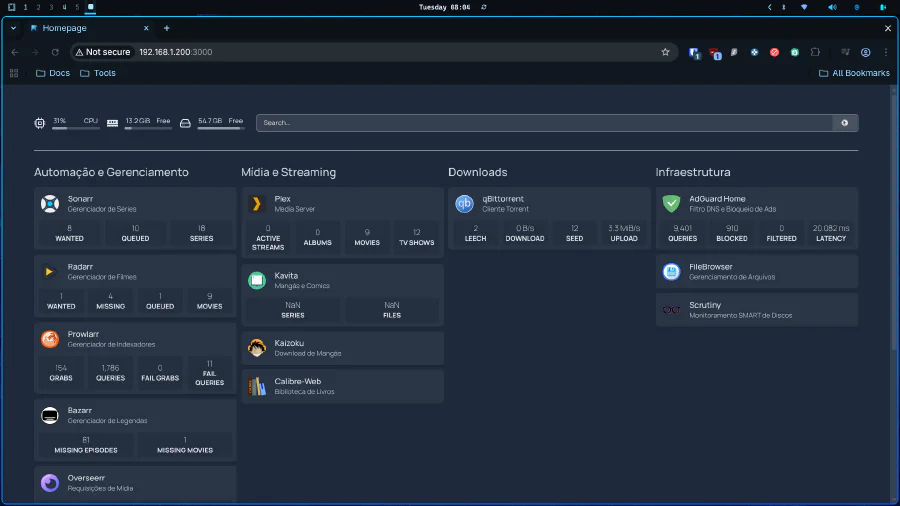
You configure it with YAML files to display:
- Service status
- Quick links
- API integrations (Sonarr download queue, Jellyfin recent additions)
- System stats
This becomes your bookmarked homepage. No more memorizing which service is on which port.
Scrutiny: The Drive Health Monitor
Remember that 512GB SSD we’re relying on? We need to monitor its health.
  scrutiny:
    image: ghcr.io/analogj/scrutiny:master-omnibus
    container_name: scrutiny
    cap_add:
      - SYS_RAWIO
    devices:
      - /dev/sda:/dev/sda
    volumes:
      - /run/udev:/run/udev:ro
      - /home/donkey/EmuleVision/Settings/Scrutiny:/opt/scrutiny/config
      - /home/donkey/EmuleVision/Settings/Scrutiny/influxdb:/opt/scrutiny/influxdb
    ports:
      - "8086:8080"
    restart: unless-stopped
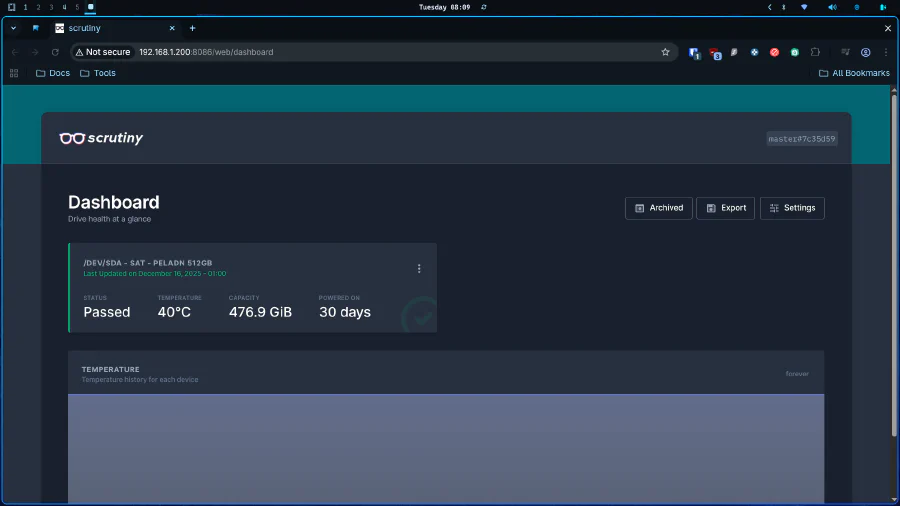
Scrutiny reads S.M.A.R.T. data from your drive and alerts you if it detects degradation. SSDs don’t fail gradually; they fail suddenly. This gives you warning before catastrophic data loss.
FileBrowser: The Web File Manager
Sometimes you need to access files directly without SSHing in or mounting a Samba share.
  filebrowser:
    image: filebrowser/filebrowser:latest
    container_name: filebrowser
    environment:
      - PUID=${PUID}
      - PGID=${PGID}
    volumes:
      - /home/donkey/EmuleVision/Settings/Filebrowser/filebrowser.db:/database.db
      - /home/donkey/EmuleVision/Settings/Filebrowser/.filebrowser.json:/.filebrowser.json
      - /home/donkey/EmuleVision:/srv
    ports:
      - "8082:80"
    restart: unless-stopped
FileBrowser provides:
- Web-based file management
- Upload/download capabilities
- User permission controls
- File sharing links
Useful for those rare times when you need to manually add a file or check something without terminal access.
Kavita and Calibre-Web: The Reading Stack
For the book enthusiasts:
  kavita:
    image: jvmilazz0/kavita:latest
    container_name: kavita
    environment:
      - TZ=${TZ}
    volumes:
      - /home/donkey/EmuleVision/Settings/Kavita:/kavita/config
      - /home/donkey/EmuleVision/media/manga:/manga
      - /home/donkey/EmuleVision/media/comics:/comics
    ports:
      - "5000:5000"
    restart: unless-stopped

  calibre-web:
    image: lscr.io/linuxserver/calibre-web:latest
    container_name: calibre-web
    environment:
      - PUID=${PUID}
      - PGID=${PGID}
      - TZ=${TZ}
    volumes:
      - /home/donkey/EmuleVision/Settings/CalibreWeb:/config
      - /home/donkey/EmuleVision/books:/books
    ports:
      - "8083:8083"
    restart: unless-stopped
- Kavita: For manga and comics (CBZ/CBR files)
- Calibre-Web: For ebooks (EPUB, MOBI, PDF)
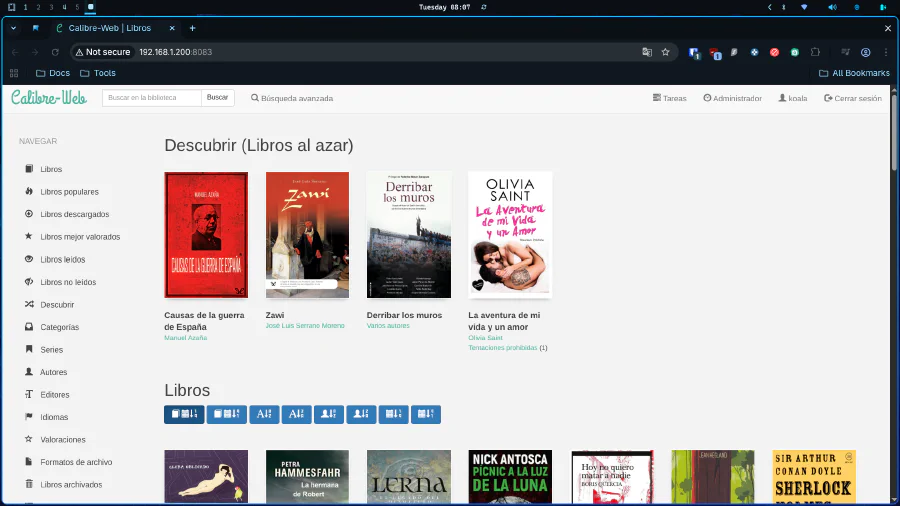
Both provide web-based reading interfaces with progress tracking, metadata management, and mobile app support.
The Complete Docker Compose
Here’s how it all fits together. Notice the network segregation between the VPN group (Gluetun + downloaders) and the clean group (Jellyfin, Overseerr, etc.):
version: '3'

services:
  gluetun:
    image: qmcgaw/gluetun
    container_name: gluetun
    cap_add:
      - NET_ADMIN
    devices:
      - /dev/net/tun:/dev/net/tun
    ports:
      - "8080:8080" # Qbittorrent
      - "9696:9696" # Prowlarr
      - "8191:8191" # Flaresolverr
      - "8989:8989" # Sonarr
      - "7878:7878" # Radarr
      - "3002:3002" # Kaizoku
      - "6881:6881" # Torrent Port
      - "6881:6881/udp"
      - "6767:6767" # Bazarr
      - "8090:8090"
    environment:
      - PUID=${PUID}
      - PGID=${PGID}
      - TZ=${TZ}
      - VPN_SERVICE_PROVIDER=custom
      - VPN_TYPE=openvpn
      - OPENVPN_USER=${VPN_USER}
      - OPENVPN_PASSWORD=${VPN_PASS}
      - OPENVPN_CUSTOM_CONFIG=/gluetun/custom.conf
      - FIREWALL_VPN_INPUT_PORTS=6881
      - BLOCK_MALICIOUS=no
      - BLOCK_ADS=no
      - BLOCK_SURVEILLANCE=no
      - FIREWALL_INPUT_PORTS=8080,9696,8191,8989,7878,3002,6767,8090
    volumes:
      - ./Settings/Gluetun:/gluetun
    restart: always
    healthcheck:
      test: ["CMD-SHELL", "ping -c 1 1.1.1.1 || ping -c 1 8.8.8.8 || ping -c 1 9.9.9.9 || exit 1"]
      interval: 10s
      timeout: 5s
      retries: 3
      start_period: 20s

  qbittorrent:
    image: lscr.io/linuxserver/qbittorrent:latest
    container_name: qbittorrent
    network_mode: "service:gluetun"
    environment:
      - PUID=${PUID}
      - PGID=${PGID}
      - TZ=${TZ}
      - WEBUI_PORT=8080
    volumes:
      - /home/donkey/EmuleVision/Settings/Qbittorrent:/config
      - /home/donkey/EmuleVision:/data
    depends_on:
      gluetun:
        condition: service_healthy
    restart: unless-stopped

  prowlarr:
    image: ghcr.io/hotio/prowlarr:latest
    container_name: prowlarr
    network_mode: "service:gluetun"
    environment:
      - PUID=${PUID}
      - PGID=${PGID}
      - TZ=${TZ}
    volumes:
      - /home/donkey/EmuleVision/Settings/Prowlarr:/config
    depends_on:
      gluetun:
        condition: service_healthy
    restart: unless-stopped

  flaresolverr:
    image: ghcr.io/flaresolverr/flaresolverr:latest
    container_name: flaresolverr
    network_mode: "service:gluetun"
    environment:
      - TZ=${TZ}
    depends_on:
      gluetun:
        condition: service_healthy
    restart: unless-stopped

  sonarr:
    image: ghcr.io/linuxserver/sonarr:latest
    container_name: sonarr
    network_mode: "service:gluetun"
    environment:
      - PUID=${PUID}
      - PGID=${PGID}
      - TZ=${TZ}
    volumes:
      - /home/donkey/EmuleVision/Settings/Sonarr:/config
      - /home/donkey/EmuleVision:/data
    depends_on:
      gluetun:
        condition: service_healthy
    restart: unless-stopped

  radarr:
    image: ghcr.io/linuxserver/radarr:latest
    container_name: radarr
    network_mode: "service:gluetun"
    environment:
      - PUID=${PUID}
      - PGID=${PGID}
      - TZ=${TZ}
    volumes:
      - /home/donkey/EmuleVision/Settings/Radarr:/config
      - /home/donkey/EmuleVision:/data
    depends_on:
      gluetun:
        condition: service_healthy
    restart: unless-stopped

  bazarr:
    image: ghcr.io/linuxserver/bazarr:latest
    container_name: bazarr
    restart: unless-stopped
    network_mode: "service:gluetun"
    environment:
      - TZ=${TZ}
      - PUID=${PUID}
      - PGID=${PGID}
    volumes:
      - /home/donkey/EmuleVision/media/movies:/movies
      - /home/donkey/EmuleVision/media/tv:/tv
      - /home/donkey/EmuleVision/Settings/Bazarr:/config
    depends_on:
      gluetun:
        condition: service_healthy

  kaizoku:
    image: ghcr.io/oae/kaizoku:latest
    container_name: kaizoku
    network_mode: "service:gluetun"
    environment:
      - PUID=${PUID}
      - PGID=${PGID}
      - TZ=${TZ}
      - KAIZOKU_PORT=3002
    volumes:
      - /home/donkey/EmuleVision/Settings/Kaizoku:/config
      - /home/donkey/EmuleVision:/data
    depends_on:
      gluetun:
        condition: service_healthy
    restart: unless-stopped

  overseerr:
    image: lscr.io/linuxserver/overseerr:latest
    container_name: overseerr
    environment:
      - PUID=${PUID}
      - PGID=${PGID}
      - TZ=${TZ}
    ports:
      - "5055:5055"
    volumes:
      - /home/donkey/EmuleVision/Settings/Overseerr:/config
    restart: unless-stopped

  adguardhome:
    image: adguard/adguardhome
    container_name: adguardhome
    ports:
      - "53:53/tcp"
      - "53:53/udp"
      - "3001:3000"
    volumes:
      - /home/donkey/EmuleVision/Settings/AdGuard/work:/opt/adguardhome/work
      - /home/donkey/EmuleVision/Settings/AdGuard/conf:/opt/adguardhome/conf
    restart: unless-stopped

  calibre-web:
    image: lscr.io/linuxserver/calibre-web:latest
    container_name: calibre-web
    environment:
      - PUID=${PUID}
      - PGID=${PGID}
      - TZ=${TZ}
    volumes:
      - /home/donkey/EmuleVision/Settings/CalibreWeb:/config
      - /home/donkey/EmuleVision/books:/books
    ports:
      - "8083:8083"
    restart: unless-stopped

  kavita:
    image: jvmilazz0/kavita:latest
    container_name: kavita
    environment:
      - TZ=${TZ}
    volumes:
      - /home/donkey/EmuleVision/Settings/Kavita:/kavita/config
      - /home/donkey/EmuleVision/media/manga:/manga
      - /home/donkey/EmuleVision/media/comics:/comics
    ports:
      - "5000:5000"
    restart: unless-stopped

  filebrowser:
    image: filebrowser/filebrowser:latest
    container_name: filebrowser
    environment:
      - PUID=${PUID}
      - PGID=${PGID}
    volumes:
      - /home/donkey/EmuleVision/Settings/Filebrowser/filebrowser.db:/database.db
      - /home/donkey/EmuleVision/Settings/Filebrowser/.filebrowser.json:/.filebrowser.json
      - /home/donkey/EmuleVision:/srv
    ports:
      - "8082:80"
    restart: unless-stopped

  portainer:
    image: portainer/portainer-ce:2.20.2
    container_name: portainer
    volumes:
      - /etc/localtime:/etc/localtime:ro
      - /var/run/docker.sock:/var/run/docker.sock
      - /home/donkey/EmuleVision/Settings/Portainer:/data
    ports:
      - "9000:9000"
    restart: unless-stopped

  homepage:
    image: ghcr.io/gethomepage/homepage:latest
    container_name: homepage
    volumes:
      - /home/donkey/EmuleVision/Settings/Homepage:/app/config
      - /var/run/docker.sock:/var/run/docker.sock
    environment:
      - HOMEPAGE_ALLOWED_HOSTS=*
    ports:
      - "3000:3000"
    restart: unless-stopped

  scrutiny:
    image: ghcr.io/analogj/scrutiny:master-omnibus
    container_name: scrutiny
    cap_add:
      - SYS_RAWIO
    devices:
      - /dev/sda:/dev/sda
    volumes:
      - /run/udev:/run/udev:ro
      - /home/donkey/EmuleVision/Settings/Scrutiny:/opt/scrutiny/config
      - /home/donkey/EmuleVision/Settings/Scrutiny/influxdb:/opt/scrutiny/influxdb
    ports:
      - "8086:8080"
    restart: unless-stopped

  plex:
    image: lscr.io/linuxserver/plex:latest
    container_name: plex
    environment:
      - PUID=${PUID}
      - PGID=${PGID}
      - TZ=${TZ}
      - VERSION=docker
      - PLEX_CLAIM=
    network_mode: host
    volumes:
      - /home/donkey/EmuleVision/Settings/Plex:/config
      - /home/donkey/EmuleVision/media/movies:/data/movies
      - /home/donkey/EmuleVision/media/tv:/data/tvshows
    devices:
      - /dev/dri:/dev/dri
First Boot Checklist
After running docker compose up -d, here’s your startup sequence:
Wait for Gluetun - Check logs:
docker logs gluetun- Look for “VPN connection successful”
- Verify IP:
docker exec gluetun curl ifconfig.me
Configure Prowlarr (port 9696)
- Add indexers
- Connect to Sonarr/Radarr via API keys
- Test FlareSolverr if using protected indexers
Configure qBittorrent (port 8080)
- Change default password
- Set download path:
/data/downloads/torrents - Add categories:
tv,movies - Follow TRaSH Guides
Configure Sonarr (port 8989)
- Add Prowlarr as indexer
- Add qBittorrent as download client (localhost:8080)
- Set root folder:
/data/media/tv - Import quality profiles from TRaSH Guides
Configure Radarr (port 7878)
- Same as Sonarr, but root folder:
/data/media/movies
- Same as Sonarr, but root folder:
Configure Bazarr (port 6767)
- Connect to Sonarr/Radarr
- Add subtitle providers (OpenSubtitles, Subscene)
- Set preferred languages
Configure Jellyfin (port 8096)
- Add libraries: Movies (
/data/movies), TV Shows (/data/tvshows) - Enable Hardware Acceleration (Intel QuickSync)
- Create user accounts
- Add libraries: Movies (
Configure Overseerr (port 5055)
- Connect to Jellyfin
- Connect to Sonarr/Radarr
- Enable user requests
Performance Optimization Tips
Storage Management
Since we’re working with a 512GB SSD, space management is critical:
- Enable automatic deletion in Sonarr/Radarr after X days
- Set quality limits - Don’t download 80GB remuxes unless you actually need them
- Monitor disk usage via Homepage or Scrutiny
- Regular cleanup - Remove watched content you won’t rewatch
Network Optimization
- Port forwarding - Forward port 6881 on your VPN to maximize download speeds
- 5GHz WiFi for TV Box - As discussed in the hardware post, WiFi AC > 100Mbps Ethernet for 4K streaming
- Direct Play over Transcoding - Configure Jellyfin clients to support your file formats natively
Security Hardening
- Change all default passwords
- Disable remote access unless absolutely needed
- Keep Gluetun’s VPN credentials in .env - Never hardcode them
- Regular updates - Run
docker compose pull && docker compose up -dmonthly
Troubleshooting Common Issues
“qBittorrent won’t start”
- Check Gluetun logs:
docker logs gluetun - Verify VPN credentials in
.env - Ensure healthcheck is passing:
docker inspect gluetun | grep Health
“Sonarr/Radarr can’t reach qBittorrent”
- They share Gluetun’s network, use
localhost:8080 - Don’t use container names or IPs
- Check firewall rules in Gluetun config
“Jellyfin transcoding is slow”
- Verify hardware acceleration is enabled
- Check
/dev/driis properly mounted - Install intel-media-va-driver-non-free on host
“Subtitles aren’t downloading”
- Check Bazarr logs for provider issues
- Verify API keys are correct
- Some providers rate-limit; wait and retry
“Hardlinks aren’t working”
- All containers must map the same root volume (
/data) - Downloads and media must be on the same filesystem
- Check file ownership (PUID/PGID)
What’s Next?
We now have a fully functional home server that rivals any streaming service. But this is just the foundation. In future posts, I’ll cover:
- Advanced Automation: Custom scripts for deletion, notifications, and maintenance
- Remote Access: Securely exposing your server via Tailscale or Cloudflare Tunnels
- 4K Optimization: HDR tone mapping, specific quality profiles, and bandwidth management
- Backup Strategies: Protecting your configuration and media
- Multi-User Management: Separate libraries, viewing restrictions, and bandwidth quotas
- Integration with Trakt/IMDb: Automatic watchlist syncing
- Advanced Jellyfin Customization: Plugins, themes, and client-specific settings
The beauty of this system is that it’s modular. You can add or remove services as needed. Don’t care about manga? Remove Kaizoku. Want to add music management? Throw in Lidarr. The architecture scales with your needs.
You’ve transformed a cheap mini PC into enterprise-grade infrastructure. You’ve taken control of your media consumption away from corporations that charge you more for less. And you’ve learned the fundamentals of containerization, networking, and system architecture along the way.

The server is built. The stack is complete. Now go forth and acquire (legally, of course) the content you actually want to watch.
See you in the next post.